Linux / macOS
curl -fsSL https://raw.githubusercontent.com/shreyam1008/dbterm/main/install.sh | bashLightweight terminal workflow for modern databases
One binary, keyboard-first navigation, and practical operations tooling. Use dbterm when you want fast SQL work without heavy desktop stacks.
Database targets: PostgreSQL, MySQL, SQLite, Turso, and Cloudflare D1.
Unified terminal UI for connection management, querying, and result exploration.
Zero external runtime requirement for end users.
From viewing multiple active connections and their services to quickly querying large tables.
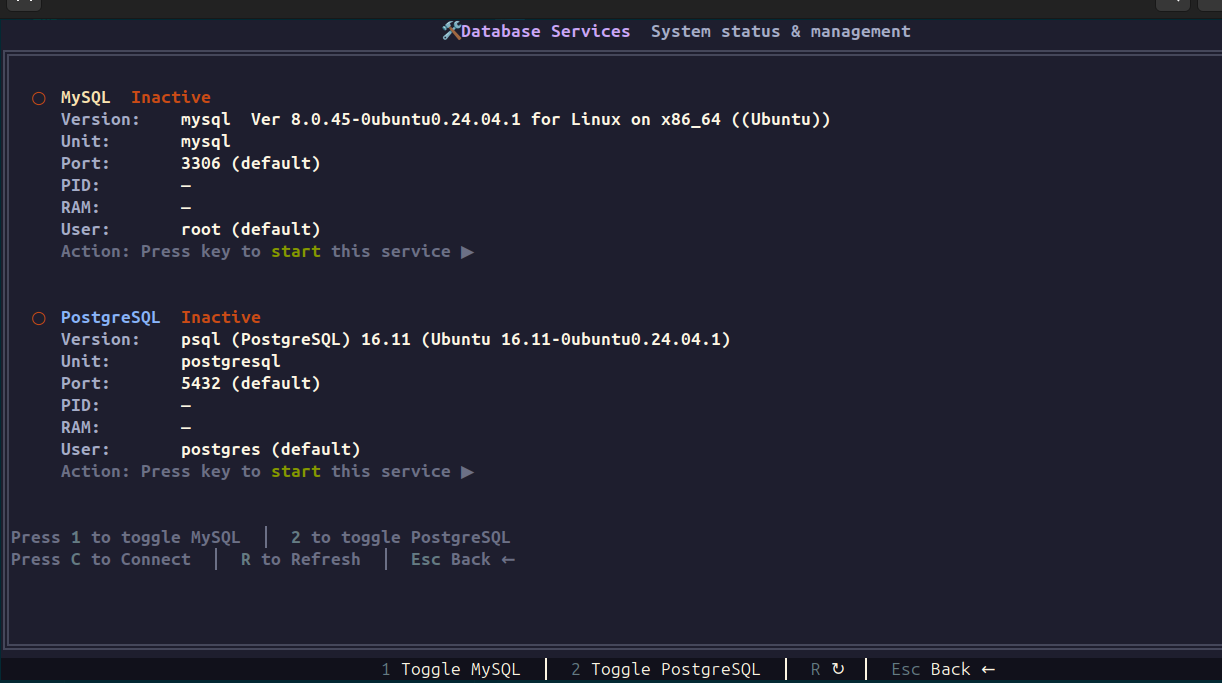
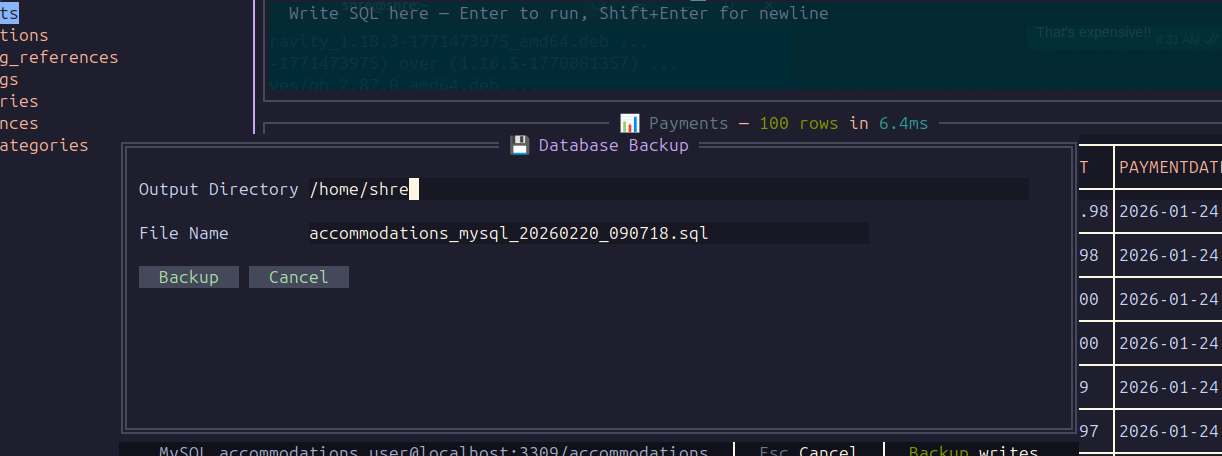
Install with one command and start immediately. Copy buttons are included for fast onboarding.
curl -fsSL https://raw.githubusercontent.com/shreyam1008/dbterm/main/install.sh | bashpowershell -NoProfile -ExecutionPolicy Bypass -Command "irm https://raw.githubusercontent.com/shreyam1008/dbterm/main/install.ps1 | iex"Focused on speed, low resource use, and routine production diagnostics.
Run ad-hoc checks without leaving terminal workflows. Execute with Enter and inspect results instantly.
Move between Tables, Query, and Results panels quickly, with shortcuts for refresh, sort, and row details.
Open the services dashboard, trigger backup/import for PostgreSQL/MySQL, and reconnect from one interface.
dbterm keeps build and runtime footprint constrained for daily terminal use.
Alt + 0 only when you explicitly want full row loading.Connection setup supports local, remote, and cloud-oriented SQL targets.
| Database | Support level | Typical use case |
|---|---|---|
| PostgreSQL | Full query + backup + service controls | Great for local dev and remote prod checks |
| MySQL | Full query + backup + service controls | Native driver, no external runtimes |
| SQLite | Local file workflows and schema browsing | Pure Go driver, no CGO dependency |
| Turso (LibSQL) | Cloud SQLite-compatible querying | Connect with auth token-based DSN |
| Cloudflare D1 | D1 API-backed SQL operations | Use account ID, database ID, and API token |
Use these for daily operation, updates, and maintenance.
dbterm
dbterm --help
dbterm --version
dbterm --info
dbterm --update
dbterm --update X.Y.Z
dbterm --uninstall --yes
dbterm --uninstall --purgeCore controls you will use most often once connected. Full workflow reference is on the Guide page.
| Shortcut | Action |
|---|---|
Enter | Execute SQL query |
Shift + Enter | New line in query editor |
Alt + Q / T / R | Focus Query, Tables, or Results |
Alt + Y | Open per-connection query history |
Alt + A / Alt + C | Select all result rows / clear row selection |
Space (Results) | Toggle current result row selection |
Alt + E | Export selected rows to CSV (or all displayed if none selected) |
Alt + I | Import SQL dump for active PostgreSQL/MySQL connection |
I (Dashboard) | Import SQL dump into selected saved PostgreSQL/MySQL connection |
G (Dashboard) / Alt + , | Open keymap Settings page |
F5 / Ctrl + F5 | Refresh current table or full table list |
Alt + = / - / 0 | Adjust preview row limit (including all rows) |
Ctrl + = / - | Zoom table columns wider / narrower |
+ / - | Widen / narrow selected column |
Ctrl + 0 | Reset table zoom |
Alt + F / Alt + B | Fullscreen results / backup modal |
Alt + H | Open in-app help and SQL cheatsheets |
Ctrl + C | Quit safely |
Yes. dbterm is MIT licensed, source-first, and intended for community use, contributions, and forks.
No. Installers download a single platform binary. You can still use `go install` if you prefer that workflow.
Yes, but treat it like any database client: apply least-privilege credentials and test destructive queries in non-prod first.
Open the Guide page for connection setup, panel workflows, keybindings, CLI commands, and troubleshooting steps.
Start with the structured walkthrough for setup, panel behavior, services, backups, and troubleshooting.